an introduction to nix
nix expands the universe of software available at your fingertips. let me show you how!
nix in action#
martin@Martins-MacBook-Pro ~> nix run nixpkgs#cowsay "hello world"

 _____________
< hello world >
 -------------
        \   ^__^
         \  (oo)\_______
            (__)\       )\/\
                ||----w |
                ||     ||
let's use it to download a youtube video using yt-dlp
martin@Martins-MacBook-Pro /t/yt-test> nix run nixpkgs#yt-dlp -- "https://www.youtube.com/watch?v=AnunTXBwOlk"
[youtube] Extracting URL: https://www.youtube.com/watch?v=AnunTXBwOlk
[youtube] AnunTXBwOlk: Downloading webpage
[youtube] AnunTXBwOlk: Downloading android vr player API JSON
[youtube] AnunTXBwOlk: Downloading player c2f7551f-main
[youtube] [jsc:deno] Solving JS challenges using deno
[youtube] AnunTXBwOlk: Downloading m3u8 information
[info] AnunTXBwOlk: Downloading 1 format(s): 401+251
[download] Destination: Sustainable Abundance | Master Plan Part IV [AnunTXBwOlk].f401.mp4
[download] 100% of   84.36MiB in 00:00:12 at 6.59MiB/s
[download] Destination: Sustainable Abundance | Master Plan Part IV [AnunTXBwOlk].f251.webm
[download] 100% of    1.37MiB in 00:00:00 at 2.99MiB/s
[Merger] Merging formats into "Sustainable Abundance | Master Plan Part IV [AnunTXBwOlk].webm"
Deleting original file Sustainable Abundance | Master Plan Part IV [AnunTXBwOlk].f251.webm (pass -k to keep)
Deleting original file Sustainable Abundance | Master Plan Part IV [AnunTXBwOlk].f401.mp4 (pass -k to keep)
let’s use adb to pull an apk off a connected android device and inspect it with apktool.
martin@Martins-MacBook-Pro /t/android-example> nix shell nixpkgs#android-tools --command adb pull /data/app/~~VihGRIu9Cu4RUlp80hydlw==/com.tesla.riders-hfNnlQdl_2cVSUstjtK3Yw==/base.apk
/data/app/~~VihGRIu9Cu4RUlp80hydlw==/com.tesla.riders-hfNnlQdl_2cVSUstjtK3Yw==/base.apk: 1 file pulled, 0 skipped. 33.1 MB/s (87814525 bytes in 2.530s)
martin@Martins-MacBook-Pro /t/android-example> nix run nixpkgs#apktool d ./base.apk
I: Using Apktool 2.11.1 on base.apk with 8 threads
I: Baksmaling classes.dex...
I: Baksmaling classes2.dex...
I: Baksmaling classes3.dex...
I: Baksmaling classes4.dex...
I: Baksmaling classes5.dex...
I: Baksmaling classes6.dex...
I: Baksmaling classes7.dex...
I: Loading resource table...
I: Decoding file-resources...
I: Loading resource table from file: /Users/martin/Library/apktool/framework/1.apk
I: Baksmaling classes8.dex...
I: Baksmaling classes9.dex...
I: Decoding values */* XMLs...
I: Decoding AndroidManifest.xml with resources...
I: Regular manifest package...
I: Copying original files...
I: Copying assets...
I: Copying unknown files...
martin@Martins-MacBook-Pro /t/android-example> tree
.
├── base
│   ├── AndroidManifest.xml
│   ├── apktool.yml
│   ├── assets
│   │   ├── a3ds2_srn
│   │   ├── alicorn
│   │   │   ├── accessibility_vehicle.png
│   │   │   ├── alicorn_ingress_light.png
│   │   │   ├── alicorn_ingress.png
let's launch an n64 emulator
martin@Martins-MacBook-Pro ~> open -n "$(nix build --no-link --print-out-paths nixpkgs#ares)/Applications/ares.app" \
                                    --args \
                                    --system "Nintendo 64" \
                                    --no-file-prompt \
                                    "/Users/martin/Downloads/Super Mario 64 (USA).z64"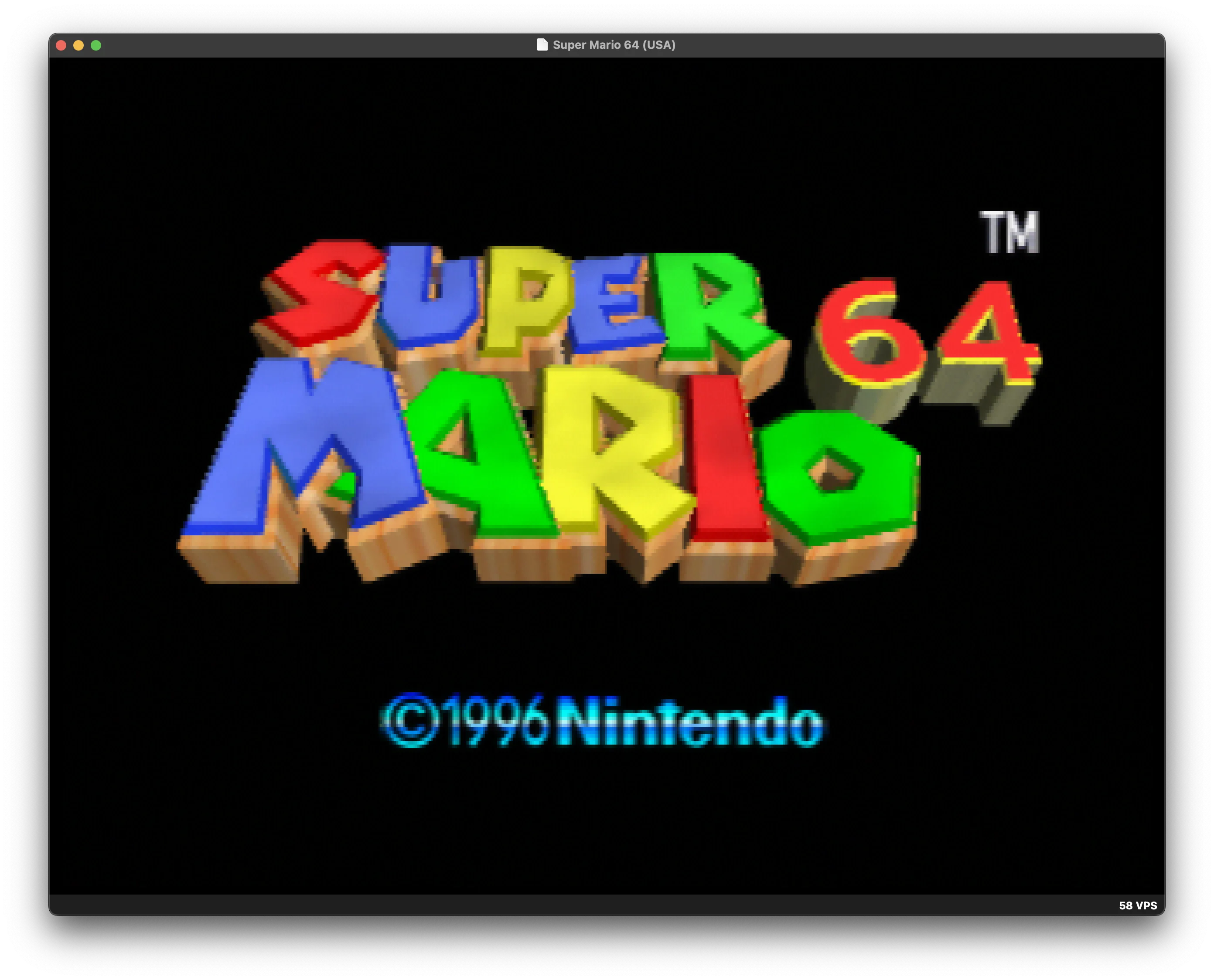
let's use nix shell to create a temporary environment with curl, jq, htmlq, and perl then use it to extract metadata out of a playlist from suno, an AI music generator.
martin@Martins-MacBook-Pro /t/suno-example> nix shell nixpkgs#curl nixpkgs#jq nixpkgs#htmlq nixpkgs#perl
martin@Martins-MacBook-Pro /t/suno-example>
  curl -fsSL "https://suno.com/playlist/9adab139-76f1-4989-8a3b-faf44b5a788c" \
    | htmlq -t script \
    | perl -ne 'if (/^self\.__next_f\.push/) { s/^self\.__next_f\.push\(//; s/\)\s*$//; print $_, "\n" }' \
    | jq -r '.[1] // empty' \
    | perl -ne 'print if s/^[0-9a-f]+://' \
    | jq -Rn '
        [
          inputs
          | fromjson?
          | .. | objects | select(has("playlist")) | .playlist
        ][0].playlist_clips
        | sort_by(.relative_index // 0)
        | map(.clip.title)
      '
[
  "Dance ’Til the World Ends",
  "Hollow Shore - Remix",
  "grass?",
  "h o n e s t l y",
  ...
]
we can create an environment using a flake.nix and share it with other
machines
{
  inputs.nixpkgs.url = "github:NixOS/nixpkgs/nixos-25.11";

  outputs = { nixpkgs, ... }:
    let
      forAllSystems = nixpkgs.lib.genAttrs [
        "x86_64-linux"
        "aarch64-linux"
        "x86_64-darwin"
        "aarch64-darwin"
      ];
    in
    {
      devShells = forAllSystems (system:
        let
          pkgs = import nixpkgs {
            inherit system;
          };
        in
        {
          default = pkgs.mkShell {
            packages = [
              pkgs.curl
              pkgs.htmlq
              pkgs.jq
              pkgs.perl
            ];
          };
        });
    };
}
with this file in the working directory, invoke nix develop, to be dropped
into an environment, identical across machines.
to install programs into the default shell, use nix profile add
nix profile add nixpkgs#cowsay
how it works#
when a package is requested, nix fetches it from a remote cache or builds it
from source and puts it into the /nix/store. if the same store path is needed
again later, nix reuses the copy already on disk.
nix assigns each package a store path bsed on the hash from its build definition.
martin@Martins-MacBook-Pro ~> nix shell nixpkgs#vim
martin@Martins-MacBook-Pro ~> which vim
/nix/store/5ayrvmp1iwjr29b3w5w8ffqz8dl7y381-vim-9.1.1336/bin/vim
these hashes look scary but do not fear, you will usually be accessing paths through a symlink or package reference.
nix uses /nix/store paths instead of filesystem hierarchy standard paths (like
/usr/bin and /lib) wherever possible. at package build time, nix rewrites
paths to point to specific instances of dependencies in the nix store.
martin@Martins-MacBook-Pro ~> cat $(which vimtutor) | head -n 1
#!/nix/store/g2r737j05jgy19c2yqnyvs71w8bxk4b1-bash-interactive-5.2p37/bin/sh
martin@Martins-MacBook-Pro ~> otool -L $(which vim)
/nix/store/5ayrvmp1iwjr29b3w5w8ffqz8dl7y381-vim-9.1.1336/bin/vim:
	...
	/nix/store/3578d0cacv8qb9mfp8na803svifqllrg-ncurses-6.5/lib/libncursesw.6.dylib (compatibility version 6.0.0, current version 6.0.0)
	/nix/store/fhza62gkyw0mp1h2zls6pl1832zjjf26-libiconv-109/lib/libiconv.2.dylib (compatibility version 7.0.0, current version 7.0.0)
	...
this allows multiple versions of the same software to co-exist on the same machine without conflict.
martin@Martins-MacBook-Pro ~> nix shell github:NixOS/nixpkgs/nixos-24.05#vim
martin@Martins-MacBook-Pro ~> otool -L $(which vim)
/nix/store/r0yqzjpgshxbl3vqkcxa5rmg9vfkwiaz-vim-9.1.0765/bin/vim:
	...
	/nix/store/ivr1yyj9cg1vp2wpm2857qxglz6h6ky8-ncurses-6.4/lib/libncursesw.6.dylib (compatibility version 6.0.0, current version 6.0.0)
	...
martin@Martins-MacBook-Pro ~> nix shell github:NixOS/nixpkgs/nixos-24.11#vim
martin@Martins-MacBook-Pro ~> otool -L $(which vim)
/nix/store/kqswymq8brwbi12ljcw98xbwbwpzy3p1-vim-9.1.1122/bin/vim:
	...
	/nix/store/hk3ypgy8jijisj2r1yg37m32c418wil1-ncurses-6.4.20221231/lib/libncursesw.6.dylib (compatibility version 6.0.0, current version 6.0.0)
	/nix/store/ggsaibrk0pifl61jbh1q5lbmy5br11my-libiconv-109/lib/libiconv.2.dylib (compatibility version 7.0.0, current version 7.0.0)
	...
folks often use containers to solve this problem of global dependency conflicts. unlike containers, binaries produced with nix do not need a runtime. if you copy a package from the nix store plus every store path it directly or indirectly depends on (called the runtime closure) to another machine, the program will run, regardless of whether nix is present on the machine.
containers impose runtime isolation. they do not naturally allow for sharing filesystem, network, users or GUI session. with nix, since packages are regular executables, i can use whatever primitives my OS provides (SELinux, AppArmour, bwrap, containers, filesystem permissions, macOS App Sandbox or a VM) for isolation.
garbage collection#
once nix has fetched or built a store path, it keeps that path around for reuse whenever the same path is needed again.
use
nix store gc
to delete anything not explicitly used in a profile or another garbage collection root.
installing nix#
install nix by following the instructions here: nix.dev
i've heard good things about the Determinate Nix Installer but haven't tried it myself.
finding packages#
there are lots of packages in nix
search through the available packages here: search.nixos.org/packages
moar nix#
this is the first of a series of posts about nix. the next posts will go over
-
packaging software with nix. we'll cover build definitions in nix, where the hashes in store paths come from, look at a few examples, go through writing one and understanding the tools nix gives us to replace filesystem paths (patchelf, stdenv, patchShebangs) to point into the nix store. we'll touch on lang2nix solutions including IFD, dynamic derivations and the new nix wasm modules. we will discuss workflows and the ins and outs of the nix builder.
-
using nix primitives to build a linux system. the nix builder is really a tool to manage the generation of file trees. a linux system is a tree of files, some binaries and some configuration. NixOS is using nix to build a linux system. we will go deep into the concepts of NixOS including configuration, modules, boot sequence and what deployment looks like.
-
the warts of nix. nix is a set of unique choices, these choices are not without some tradeoffs, this post will be an honest discussion about the 2nd order effects of the tradeoffs so you can make a clear eyed judgement about whether nix makes sense for your project or team.
over the last year, nix has become an indispensable tool in my workflow. i've used nix to
-
define reproducible ps4 and ps2 build environments that survive across machines and system updates for emulator and exploit development (github.com/0xcaff/ps-nix, github.com/0xcaff/extern_traces)
-
define machine learning workloads which i can teleport from staging on my local computers to containers on the runpod.io GPU cloud using (github.com/0xcaff/runpod-nix). this has saved my agents and i countless hours of endlessly re-packaging underspecified python packages.
-
massively expand the complexity of home-grown software i can realistically build and deploy. there are tools for sifting through my voice notes and reminding me what is top of mind. there are tools scraping data daily for historical reporting. there are apps which help me read books faster. the dependencies are quite diverse: android sdk, native C/C++ libraries, rust packages, node and typescript services, ml runtimes, various hardware integrations. nix keeps the deployment of this whole system manageable.
i hope you come along with me on this journey of discovering nix.